CalDown
Focus. Clarity. Time Awareness.
Your Apple Calendar, focused around now.
Choose what matters. See your time clearly.

CalDown shows you what’s next.
Minimal. Precise. Beautiful.
CalDown turns your Apple Calendar events into a focused, real-time timeline.What is happening now? What comes next? How much time is left?Choose your calendars and see your day without the clutter — across iPhone, iPad, widgets, and Apple Watch.Coming in 1.6.3: Apple Reminders integration (beta, with Pro), customizable time colors, and more ways to stay on track from your wrist.
App
Other calendar apps are built for planning.
CalDown is built for doing.
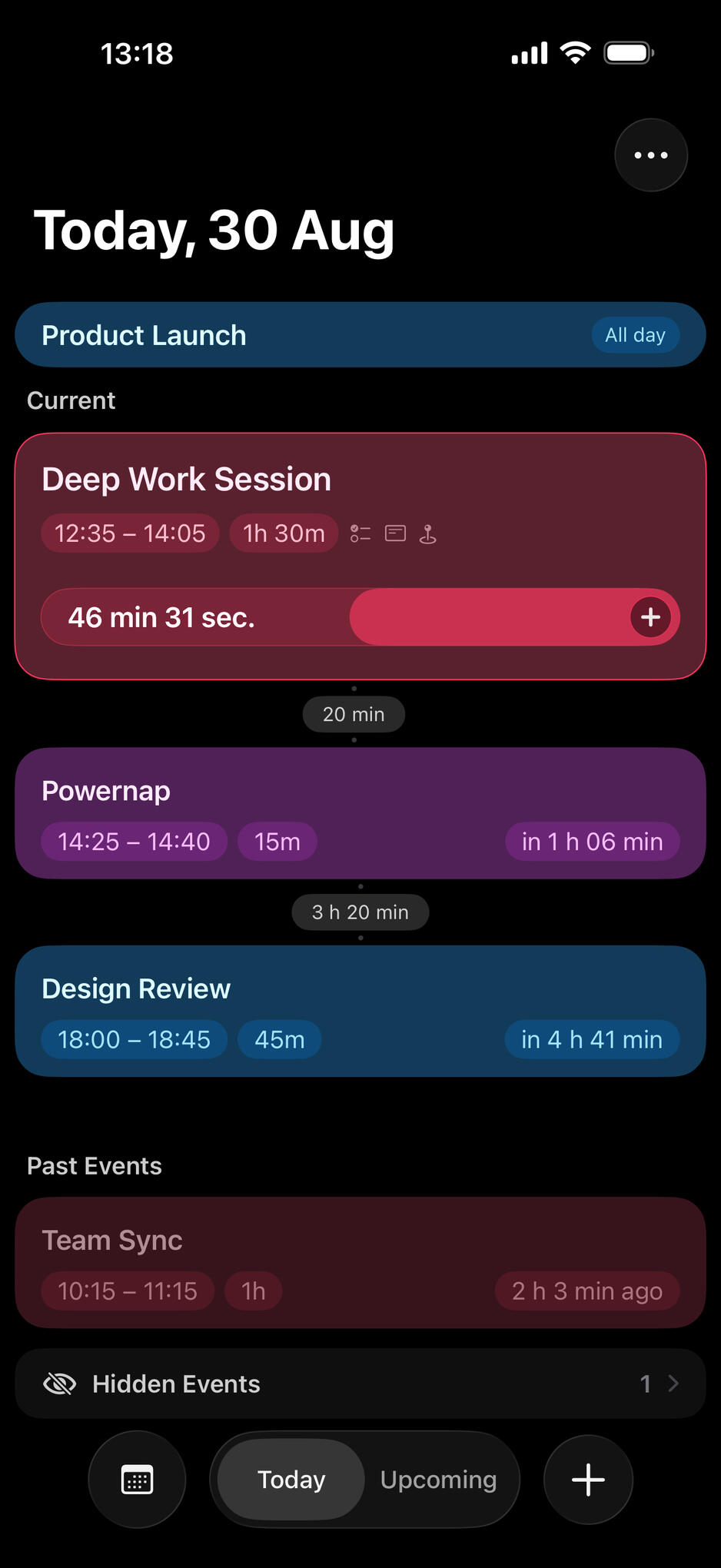
Follow your current event with a live countdown and progress bar.
Know what comes next and how much time remains between events.
Hide one specific event occurrence without deleting or changing it in Apple Calendar.
Undo immediately or restore hidden events later, grouped by day.
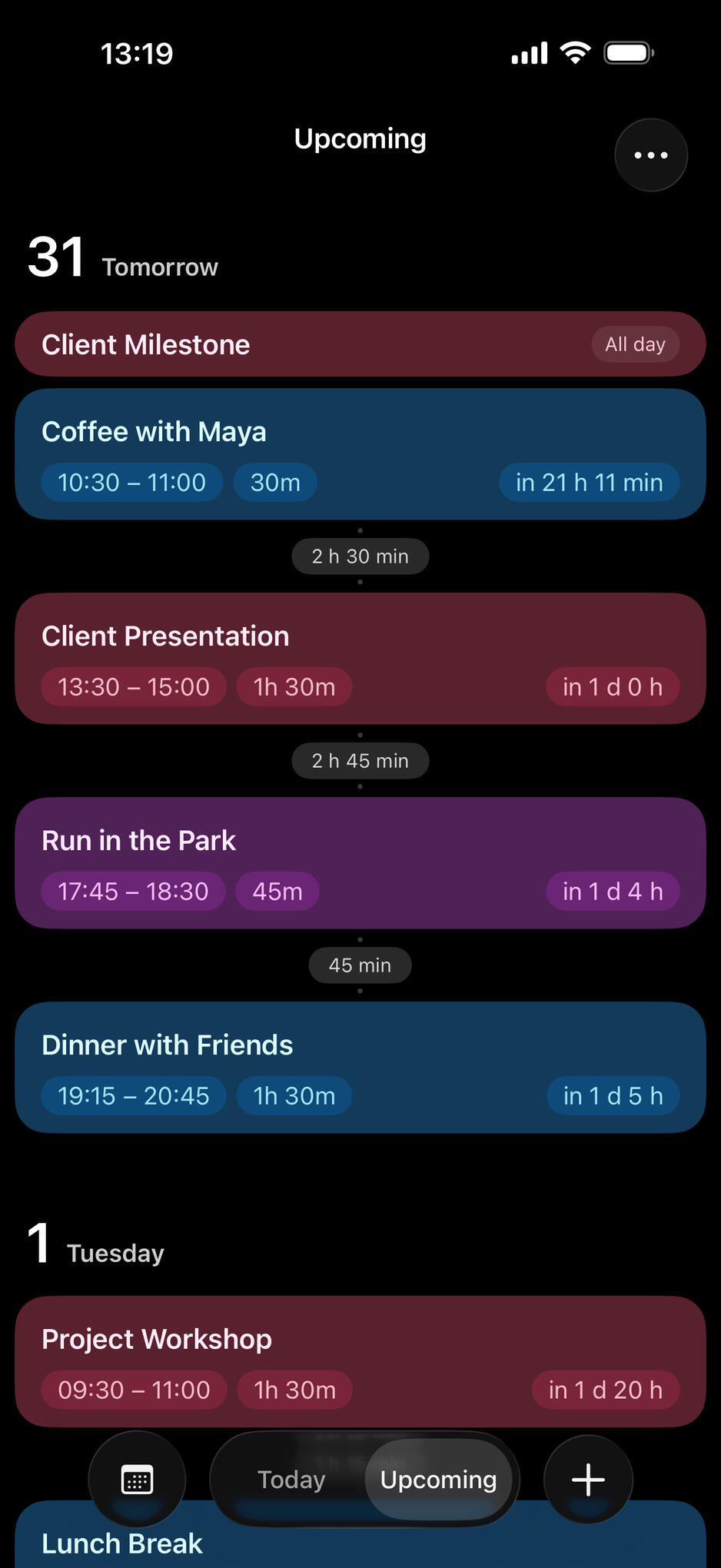
iPhone and iPadA focused timeline for current, all-day, upcoming, and recently ended events — color-coded and filtered by your selected calendars.
Create and edit events with the familiar Apple Calendar editor
Keep notes and actionable checklists with your events
Hide one event occurrence without changing Apple Calendar, and restore it from a list grouped by day
Look ahead by 3, 5, or 7 days, with gaps and overlaps clearly shown
Your tasks, beside your time.Apple Reminders · Beta · ProBring dated tasks from your selected reminder lists into CalDown. Overdue tasks stay in Today; timed tasks appear alongside your events. Check a task off and find it in Done Tasks.CalDown keeps this simple: create, edit, or reopen tasks in Apple Reminders. Undated tasks are not shown, and reminders do not occupy time or change event countdowns.
See time change color.Remaining Time ColorsLet the progress bar change to a warning color, then an urgent color as your event approaches its end. Keep the calendar color at the start, or choose a separate start color.Preview your calendars, fine-tune the colors and thresholds on iPhone, and choose where to apply them: timeline, widgets, and Apple Watch.These are visual cues, not notifications or alarms. Tinted displays use the system’s colors.
Make CalDown part of your routine.Siri and ShortcutsAsk about your current event, what comes next, or today’s schedule. Hide an event occurrence, restore the last hidden event, or open Today and Upcoming.Use the returned schedule text in your own shortcuts — while creating and editing calendar events stays with the familiar calendar tools.
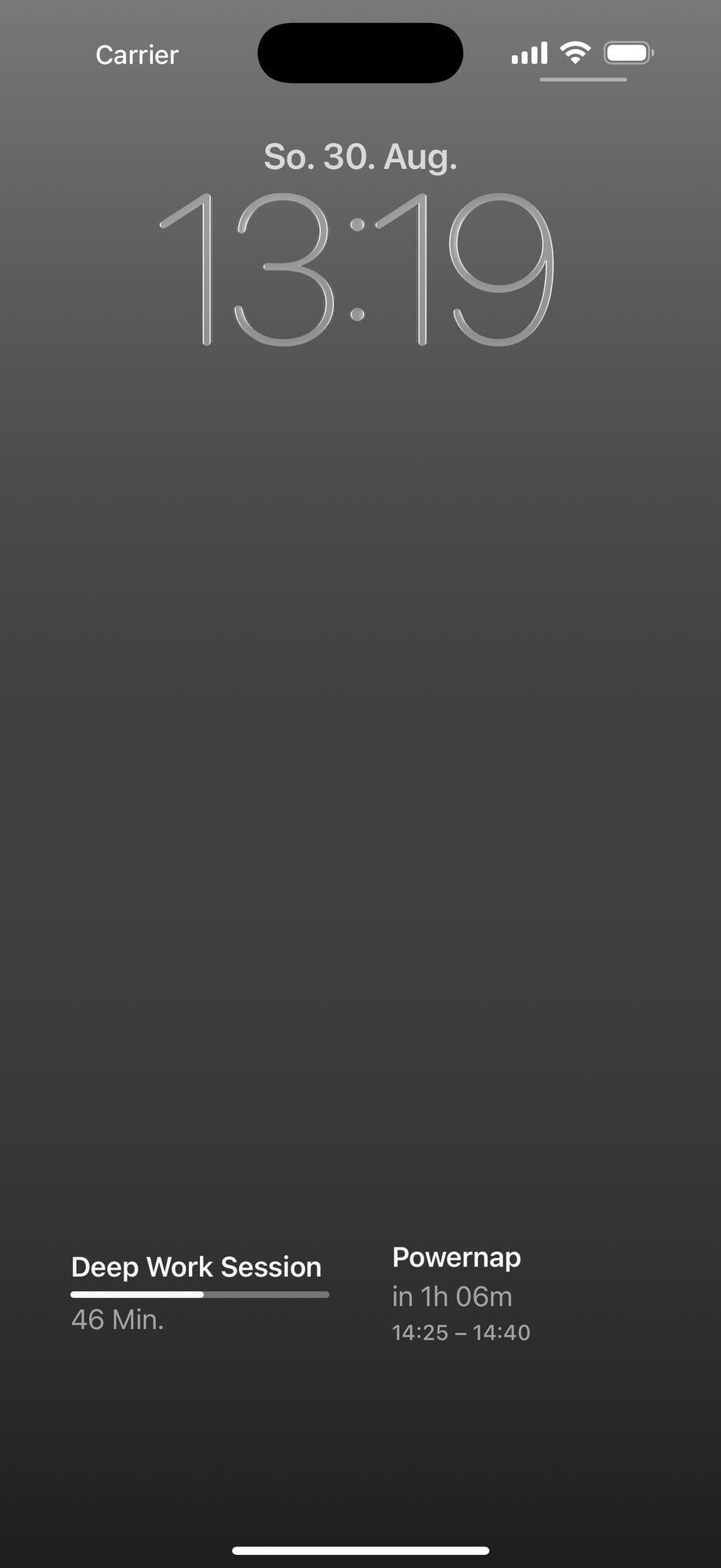
WidgetsFollow your current or next event directly from the Home Screen.Compact, medium, and large layouts make time tangible at a glance.Keep essential timing information on the Lock Screen and Apple Watch.
Live countdowns and progress indicators for your current or next timed event
Circular, corner, inline, and rectangular Watch complications, including Corner Countdown
Calendar colors or optional Remaining Time Colors; tinted displays use system colors
Hide the highlighted event directly from supported widgets
Widgets and complications show calendar events, not reminders. Updates are scheduled by the system and may be delayed.
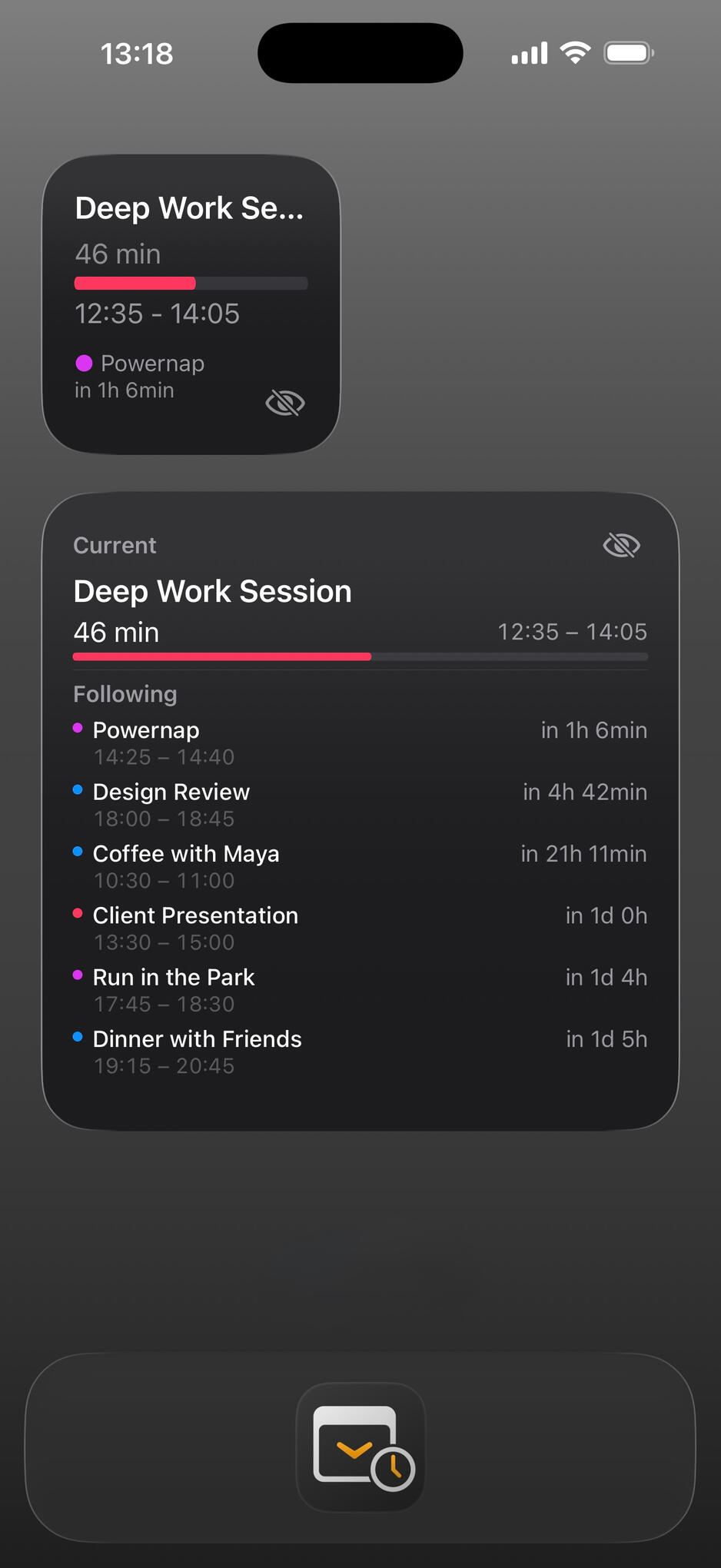
How it works
Choose your calendars.
Add your widgets.
See only what matters.
Most calendar widgets are just static lists. CalDown’s widgets are dynamic and focused.
Watch App
Apple Watch — with ProYour schedule stays at your wrist. Calendar events already available on your Watch remain visible when your iPhone is not nearby.
A quick thought. A finished task. From your wrist.Add a note or checklist item to an event without replacing what is already there. Complete a reminder without reaching for your phone.Your paired iPhone saves and confirms these changes. Offline reminder requests stay pending with an hourglass until the iPhone confirms the save. Notes and checklist changes also require the paired iPhone.Reminder completion requires reminder access on both devices and the same reminder account. Some accounts cannot identify tasks reliably across devices.
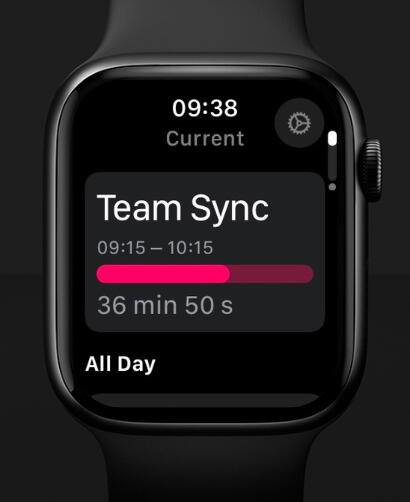
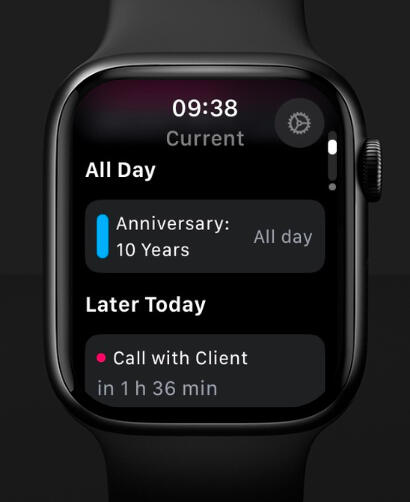
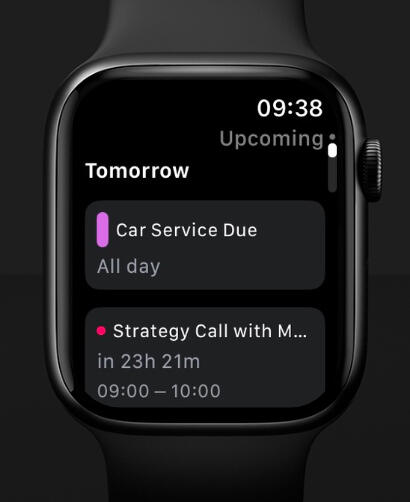
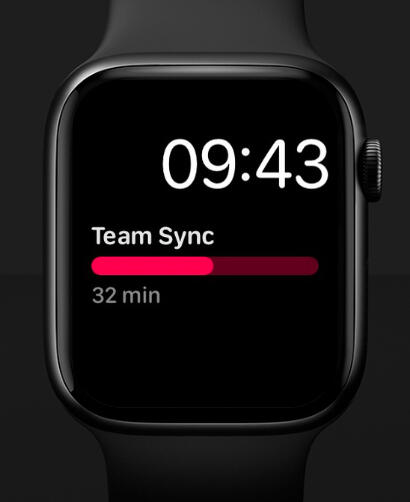
See current, all-day, upcoming, and past events, with compact gaps and overlap durations
When current events overlap, the soonest-ending event comes first — in the timeline and complications
Follow your iPhone’s calendar selection or choose calendars separately on Watch
Expand details in place; collapse All Day and Reminders with your preference remembered
Hide an event on either device and keep its hidden state aligned with the paired iPhone
One-Time Purchase – And Peace of Mind
Start free with one calendar at a time and basic widgets
A single one-time Pro purchase unlocks multiple calendars, additional widget layouts, Apple Watch, and Apple Reminders integration
No CalDown account, ads, subscriptions, or analytics
Calendar and reminder processing happens on your devices, with no external CalDown server
Hidden-event preferences sync only with the paired Apple Watch — not through iCloud or between multiple iPhones
Optional technical diagnostic reports: you choose whether to share them with support
Your time.
Your focus.

Support
Privacy Policy for CalDown
Updated: September 16, 2026This policy covers CalDown, including the features introduced in version 1.6.3. Feature availability depends on the installed version and Pro status.⸻1. General Information & ContactCalDown is a calendar companion for iPhone, iPad, widgets, Apple Watch, and complications. It processes calendar and, when enabled, reminder information on your devices. CalDown has no external calendar or reminder server, no advertising, and no analytics or tracking.For privacy questions or support, contact [email protected].⸻2. Calendar InformationWith your permission, CalDown reads event information such as titles, dates and times, all-day status, notes, locations, calendar identifiers, names, and colors to display your schedule and related features.Calendar selections, display settings, and information needed by widgets and complications are stored on your devices. Hidden-event preferences are stored within CalDown and shared only with the paired Apple Watch, not through iCloud or between multiple iPhones. Hiding an occurrence does not delete or modify the original calendar event.When you choose to create or edit an event, add a note or checklist item, or change a checklist item, CalDown saves the requested changes to the calendar. Notes and checklist items are stored as readable text and Markdown checkbox lines in event notes. Watch additions are sent to the paired iPhone to save and confirm; they do not replace existing notes.Your calendar account provider manages synchronization of saved calendar content according to your account settings.⸻3. Apple Reminders — Optional Beta FeatureWhen you enable reminder integration and grant access, CalDown reads reminder lists and the information needed to show dated tasks, such as titles, identifiers, due dates and times, completion status, recurrence information, and list names and colors.Your selected lists and settings are stored locally. When you mark a task complete, CalDown saves that change to Reminders. Your reminder account provider manages synchronization. Creating, editing, or reopening a task is handled in Apple Reminders.A completion requested on Apple Watch is sent to the paired iPhone. Pending requests are stored on the Watch so they can be retried when a connection becomes available. A task remains pending until the iPhone confirms the save. This requires access on both devices and a compatible shared reminder account.⸻4. Communication Between iPhone and Apple WatchCalDown uses Apple-provided connectivity to exchange the information needed for paired-device features. This includes settings, calendar identifiers and names used to match selections, hidden-event preferences, reminder completion requests and confirmations, note and checklist changes, and technical diagnostic reports.This communication is between your paired devices, not an external CalDown server. Calendar and reminder accounts may separately synchronize content through their own providers.⸻5. Siri and ShortcutsWhen you run a CalDown action, the requested event or schedule information can be returned as text to Siri or to subsequent actions in your shortcut. What happens to that text depends on the shortcut you run and any services it uses. Review your shortcuts before sharing their output.⸻6. PurchasesCalDown Pro is purchased through Apple’s App Store and StoreKit. CalDown uses product and transaction information needed to display purchase options and verify access to Pro. The developer does not receive your payment card details.⸻7. Diagnostics and SupportCalDown keeps a limited technical diagnostic log on each device to help troubleshoot problems. It contains app and system versions, timestamps, predefined technical steps, and counts — not calendar names, event titles, notes, or account details. Logs are limited to recent entries and are not automatically sent to the developer.A Watch report can be transferred to the paired iPhone. You choose whether to export a report, attach it to a support email, or copy it to the clipboard and paste it into an email. Copying a report places its text on your system clipboard.If you send a report or contact support, the recipient receives the information you choose to share, together with your email address and any additional text or attachments. Your email or sharing provider processes that communication under its own policies. Please avoid including unnecessary personal information.⸻8. Your ChoicesChoose which calendars and reminder lists CalDown displays. Disable reminder integration at any time, or revoke calendar and reminder permissions in your device’s privacy settings.Review and restore hidden event occurrences within CalDown. Removing the app does not delete the original calendar events, reminders, or notes and checklist content already saved to your accounts. Exported reports and emails remain wherever you saved or sent them.CalDown does not sell your data or use it for advertising or profiling. Apple, your calendar or reminder account providers, and services you choose for Siri, shortcuts, or support operate under their own privacy policies.⸻9. Changes to This PolicyThis policy may be updated when features or requirements change. The current version is maintained on this website and linked from CalDown.Questions? [email protected]